
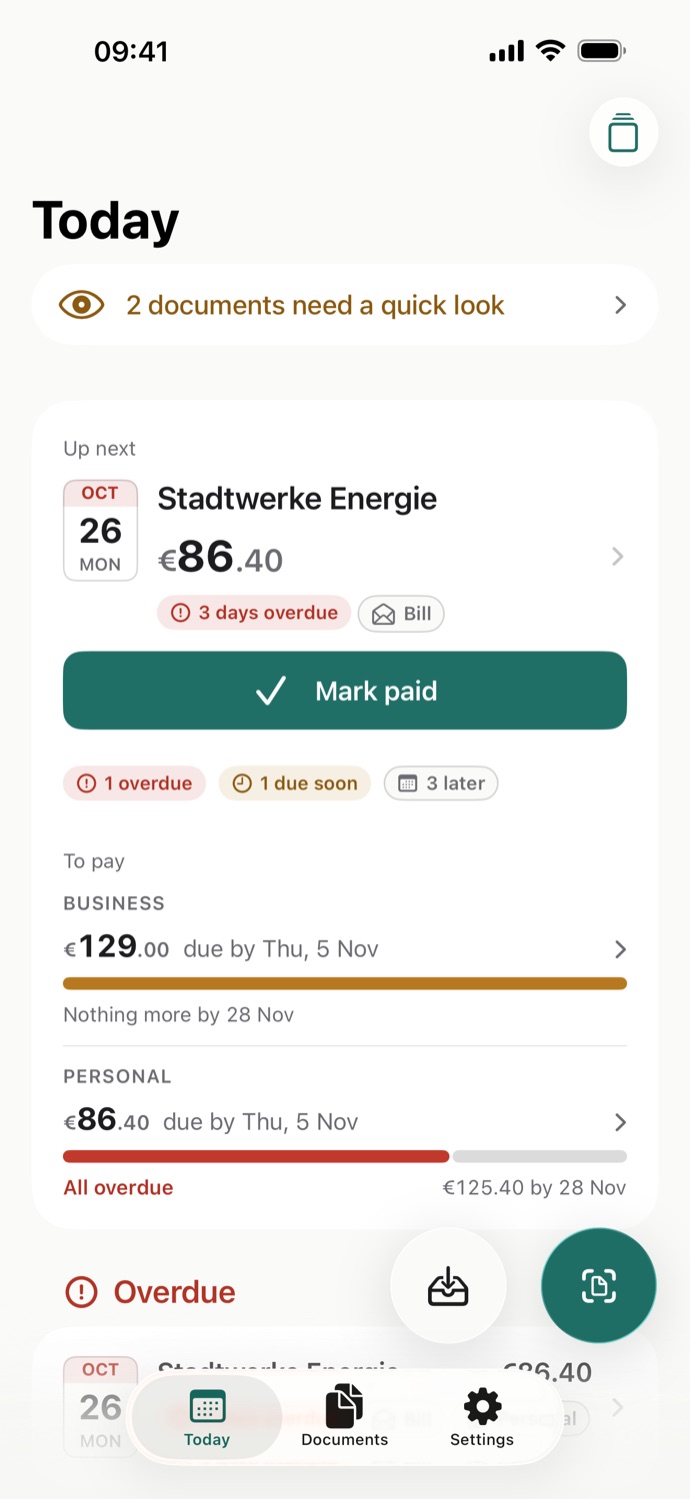
Lettrine is a free document scanner and organizer for iPhone and iPad. Bills and receipts, letters and contracts, warranties and IDs: point your camera at a page and Lettrine tells you what it is, who sent it and what it asks of you, whether that’s a bill to pay by Friday, a form to send back or a passport that runs out in May. Then it names the file, puts it in the right folder and shows the date on Today.
Every number, traced to the page.
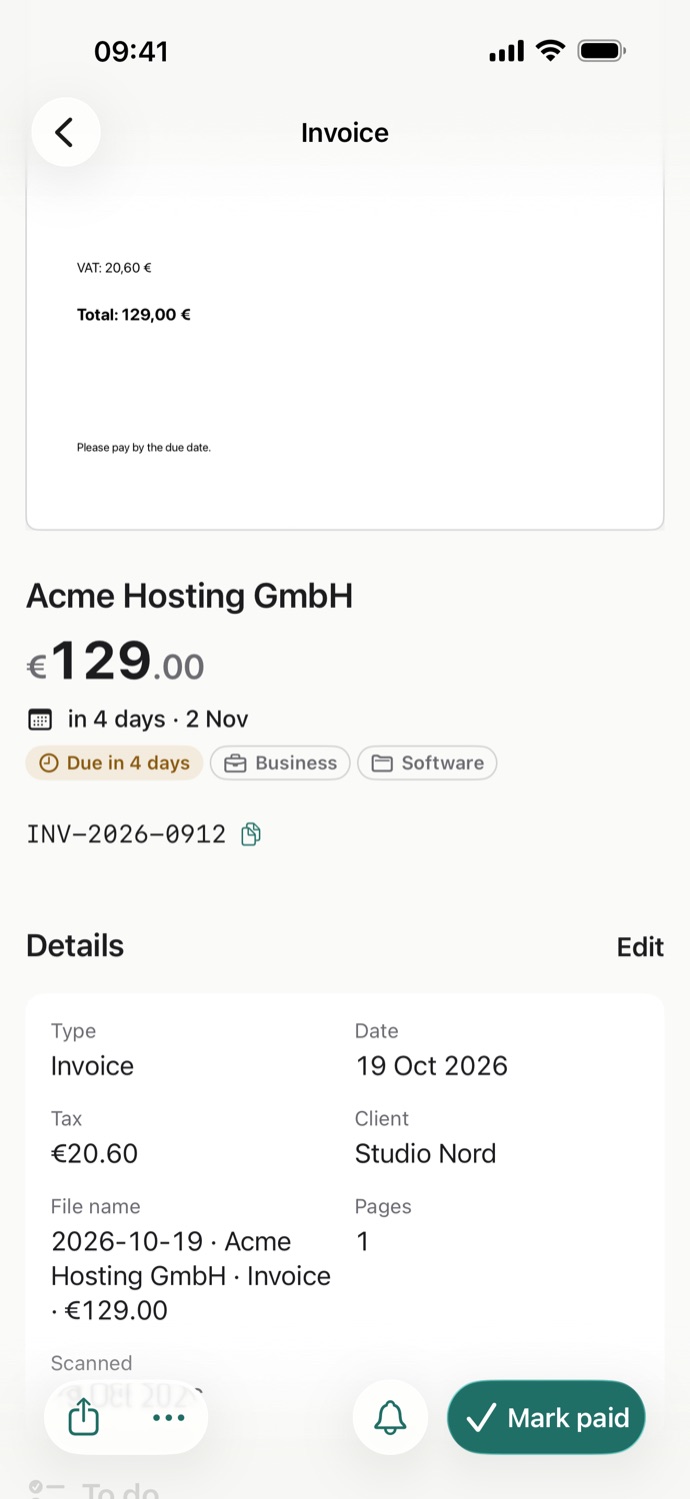
Tap a value to see exactly where Lettrine read it. Anything uncertain is flagged for a quick check, never guessed.
The example bill from Lettrine’s first launch. In the app, “Show me an example” opens it, and nothing is saved.
Total · where Lettrine read it
Web hosting invoice
Invoice for a month of web hosting. Pay it by the due date.
Due in 4 days- FromAcme Hosting GmbH
- Total€129.00
- Duein 4 days · 11 Oct
- Tax€20.60
- ReferenceINV-2026-0912
Not just bills.
Letters, contracts, warranties, IDs, even book covers. Lettrine knows 17 kinds of paper and reads each for what matters in it.
- Invoice
- Receipt
- Bill
- Statement
- Offer
- Contract
- Letter
- Form
- Certificate
- ID
- Warranty
- Medical
- Ticket
- Manual
- Book
- Note
- Document
- Finds the sender, dates, amounts and reference numbers, and writes a short title and a one-line summary.
- A letter that asks you to do something gets a to-do list, such as reply by a date or send a form back.
- IDs, warranties, contracts and certificates keep their expiry date, and Today shows them 90 days before they run out.
- Folders and file names are chosen for you, and Lettrine learns from your corrections.
- Search finds any word on any page.
Never miss a deadline.
Bills to pay and papers about to expire, in one calm list on Today.
- Today shows what’s overdue, due soon and expiring, with the most urgent first.
- Mark a bill paid or a task done in one tap, and see the totals due in the next 7 and 30 days.
- Due dates go to Apple Reminders or Calendar, only when you ask.
Share it your way.
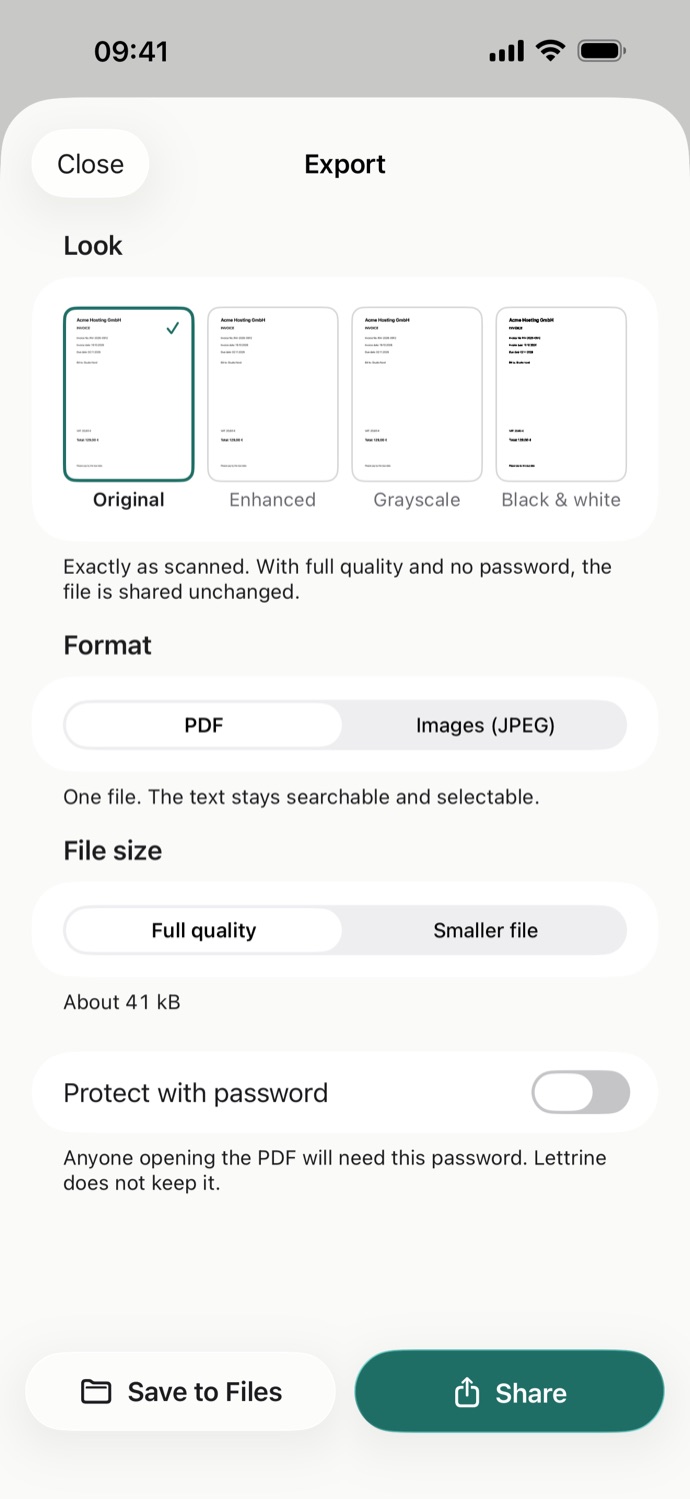
Original or black & white, always searchable.
- Share a document as a searchable PDF or as JPEG images.
- Original, enhanced, grayscale or black and white, at full quality or as a smaller file.
- Protect a PDF with a password. Lettrine doesn’t keep it.
Room for the whole page.
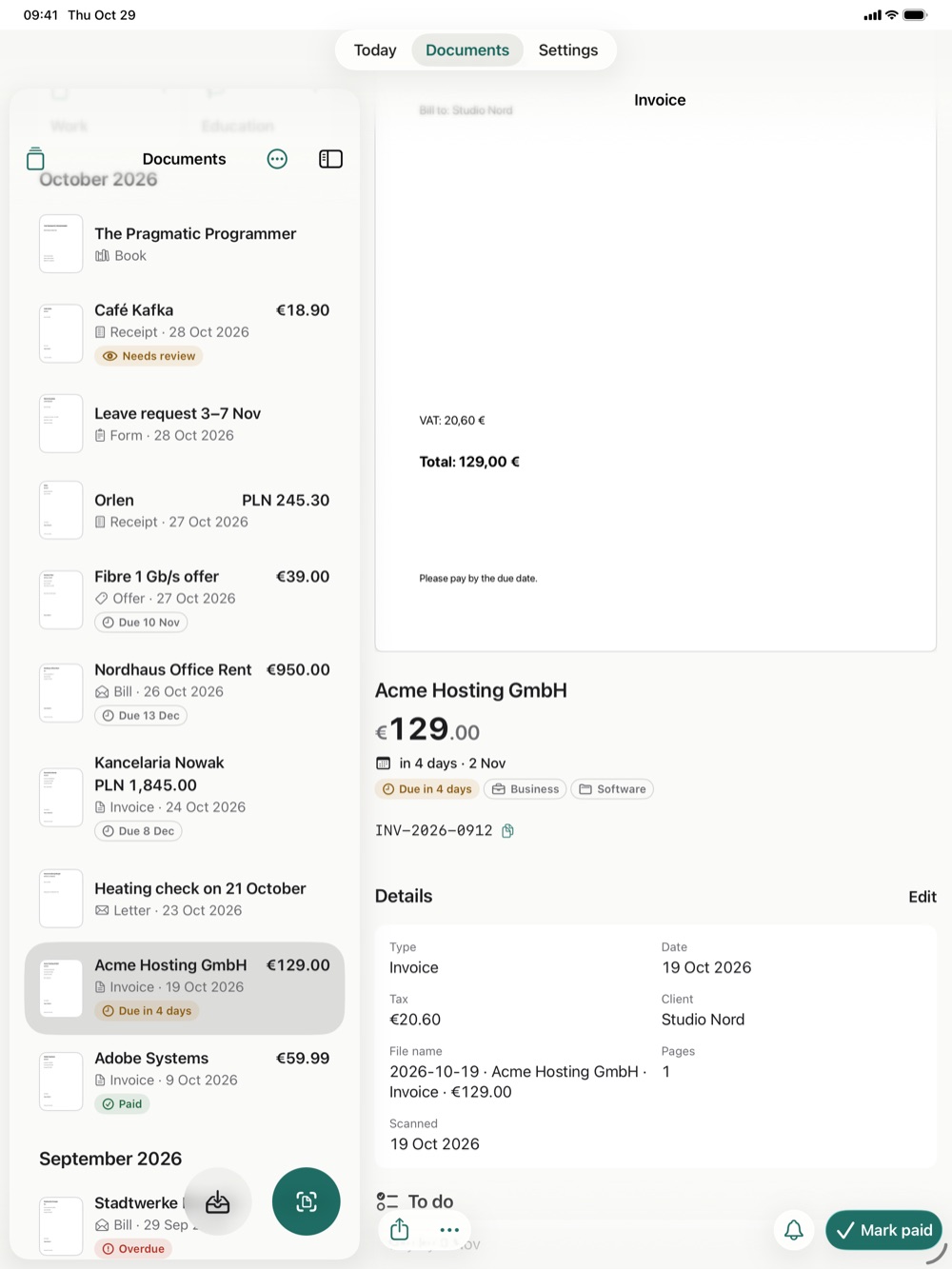
On iPad, the list, the page and what Lettrine read share one screen.
- Your documents on one side, the one you picked on the other.
- When you check a scan, the page fills one side and the details fill the other, so you compare without scrolling.
- Text keeps a comfortable reading width, even on the biggest screen.
- Drop a PDF or picture onto the window, on iPad or a Mac, and Lettrine reads it and files it.
Business, kept apart.
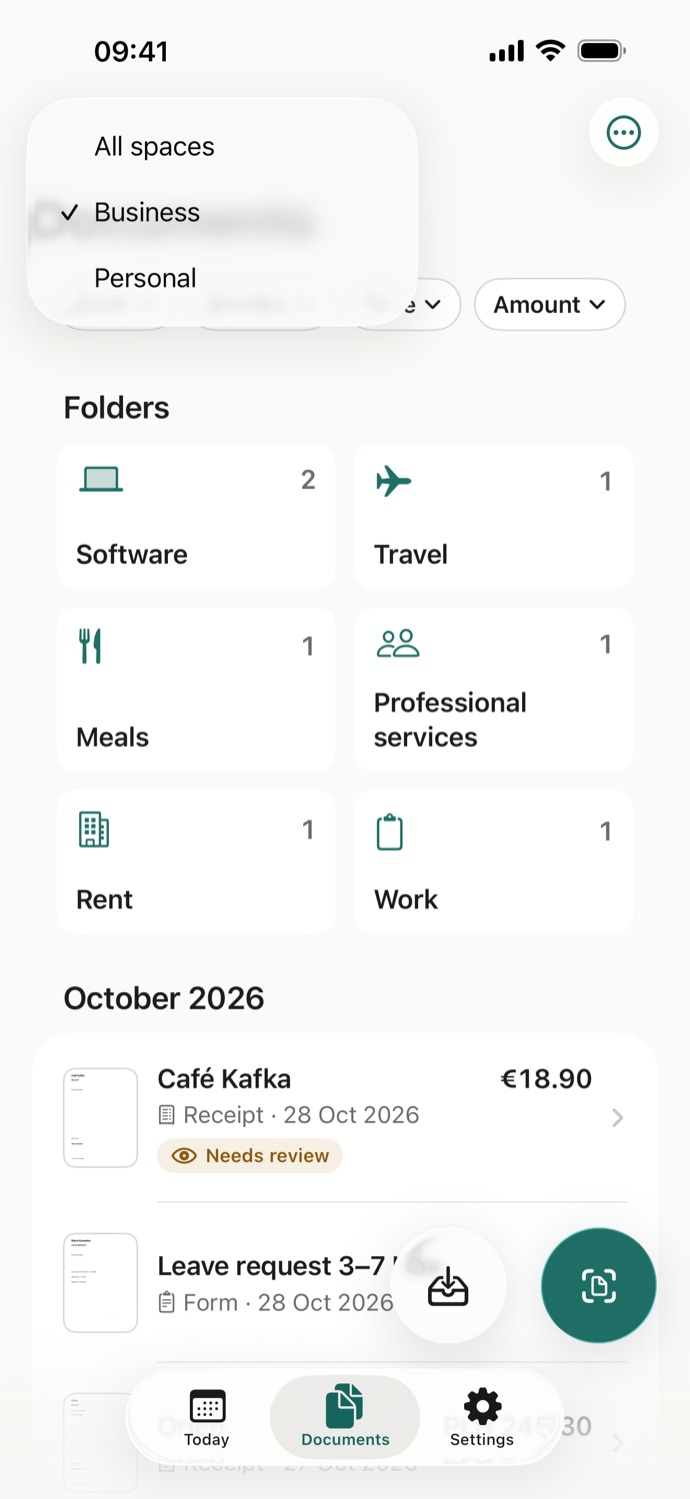
For freelancers: work papers in their own space, with the tax and client read from every invoice.
- A Business space and a Personal space. Today and Documents show one or both.
- Amount, VAT, client and due date read from each invoice, every value traced to the page.
- Amounts keep their currency: a receipt in złoty sits next to invoices in euros.
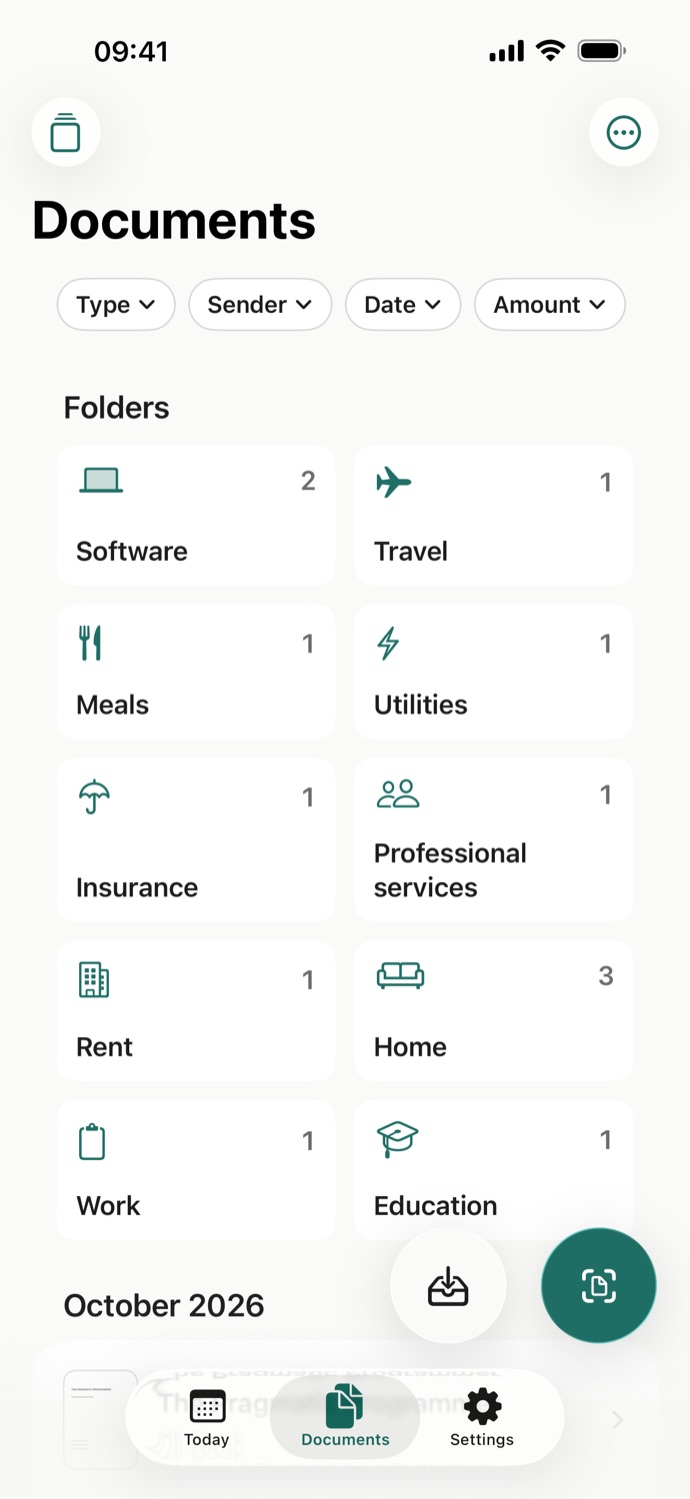
- Folders by category, such as software, travel, meals and rent.
Never sent to an AI company.
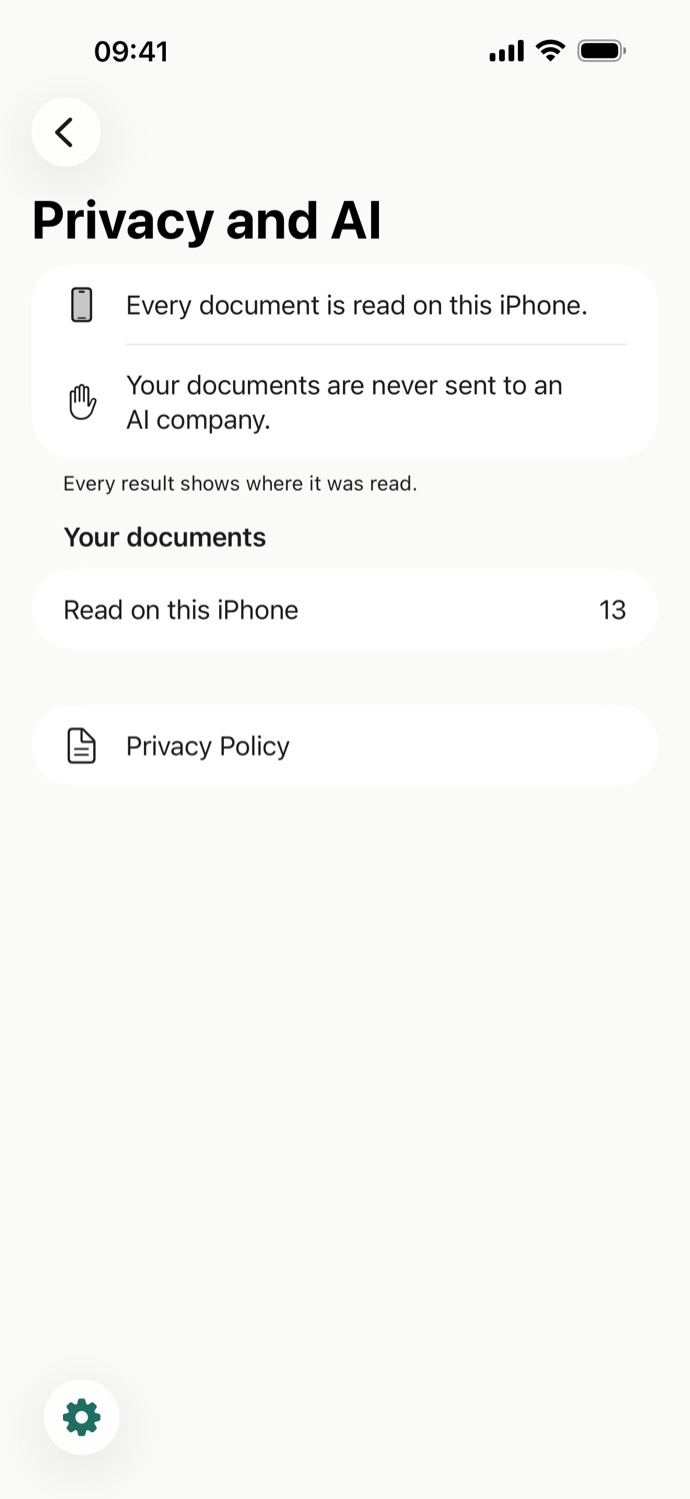
Every page is read right on your iPhone.
- Read on your device. Apple Intelligence reads your pages on your iPhone, iPad or Mac, and every result shows where it was read.
- Never sent to an AI company. Your documents and the text read from them stay in Lettrine’s protected storage on your device.
- No account, no ads, no tracking. Lettrine collects no data.
This page keeps the same promise: no cookies, no analytics and no third-party requests.
What you need.
- iPhone, iPad or iPhone Duo
- Reading, naming and filing need Apple Intelligence: iPhone 15 Pro or later, iPhone Duo, or an iPad with A17 Pro or M1 or later.
- Mac
- The iPad app runs on a Mac with Apple silicon and macOS 26 or later; the Mac App Store marks it Designed for iPad. A Mac has no document camera, so you import PDFs and pictures instead of scanning: click Import, choose File › Import Document… (⌘O), or drop them onto the window.
- Without Apple Intelligence
- Lettrine still scans, saves searchable PDFs and finds every word. If it’s off or still downloading, Lettrine reads your pages once it’s ready.
- Seven languages
- English, German, French, Spanish, Italian, Portuguese and Dutch, in the app and in the documents it reads.
- No sign-up
- No account and no sign-in. Open the app and scan your first page.