How to add page numbers to a PDF.
Three steps, all on your device.
Pick your PDF
Open Page numbers and choose a PDF from Your files in CapsaPDF, or from the Files app. Choose several to number them all the same way.
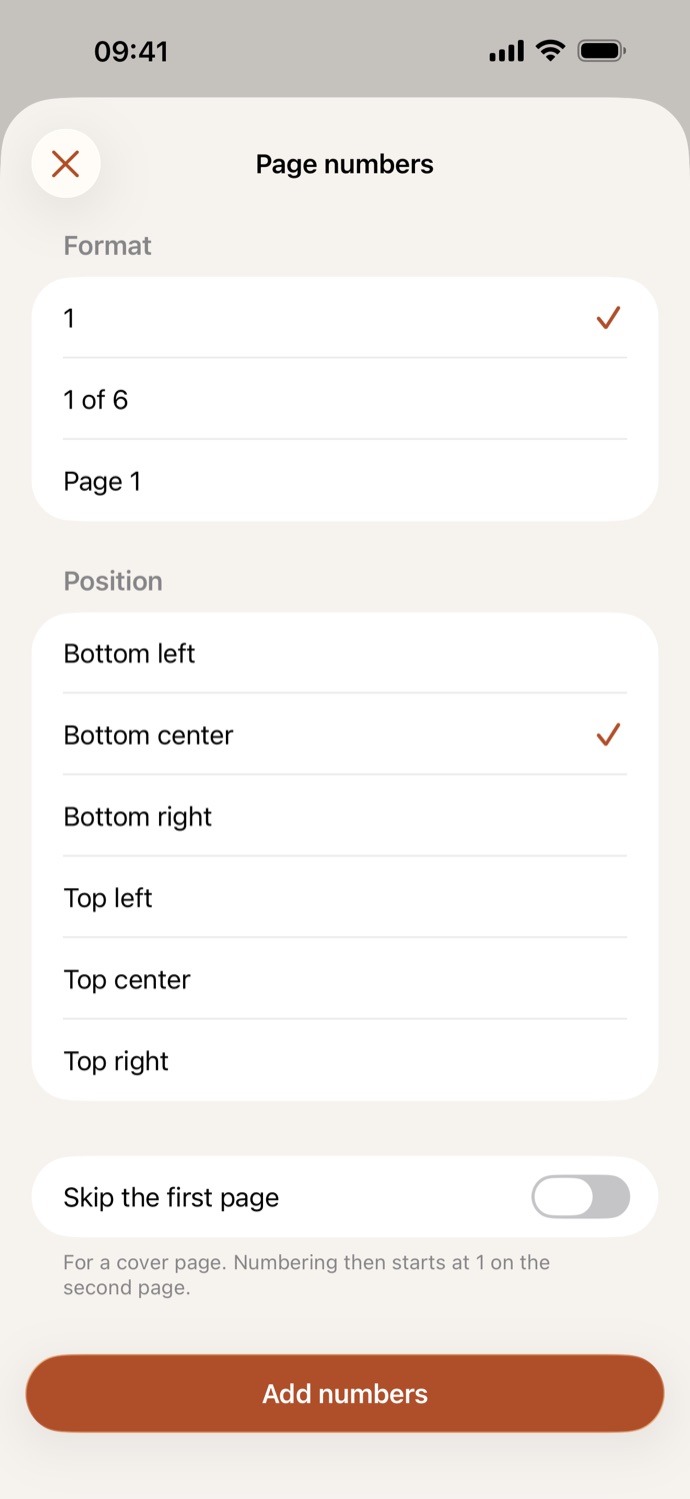
Set the format and position
Choose how the numbers read and where they go: top or bottom, on the left, in the middle or on the right. Turn on Skip the first page for a cover.
Add numbers
Tap Add numbers. The numbered PDF is saved in Your files, ready to share, or to sign, protect or compress next.
Numbered the way you need.
- Three formats, 1, “1 of 12” and “Page 1”, in six places on the page. The numbers are real text, in small dark gray type.
- Number a merged report, a thesis or a bundle of documents, so everyone can find page 14.
- Skip the first page and numbering starts at 1 on the second page; with “1 of 12”, the cover isn’t counted in the total.
- Go on from the result: sign it, add a password, or compress it to email.
Good to know
- Works with
- One PDF, or several with the same settings
- You get
- A new, numbered PDF; your original stays as it was
- Batches
- Several files at once
- Works offline
- Yes: nothing is uploaded
Numbered on your device.
The PDFs that need page numbers are the long ones: reports, theses, contracts and case files. CapsaPDF numbers them on your iPhone or iPad, with no account and no network features, so they never leave your hands. Privacy Policy
Questions.
Are my PDFs uploaded when I add page numbers?
No. CapsaPDF numbers the pages on your iPhone or iPad and has no network features, so nothing is uploaded and it works offline.
Can I leave the cover page without a number?
Yes. Turn on Skip the first page and numbering starts at 1 on the second page.
Which formats and positions can I choose?
The number alone, “1 of 12” or “Page 1”, at the top or bottom of the page, on the left, in the middle or on the right.
Do page numbers keep links and form fields working?
On the pages that get a number, links and form fields become part of the page; a skipped cover keeps them. Bookmarks still lead to the right pages. Fill in a form before you number it.
Can I number several PDFs at once?
Yes. Choose several PDFs and each one is numbered with the same settings, as its own new PDF.
Is adding page numbers free?
Yes. CapsaPDF is free, with every tool included, no ads and no purchases.