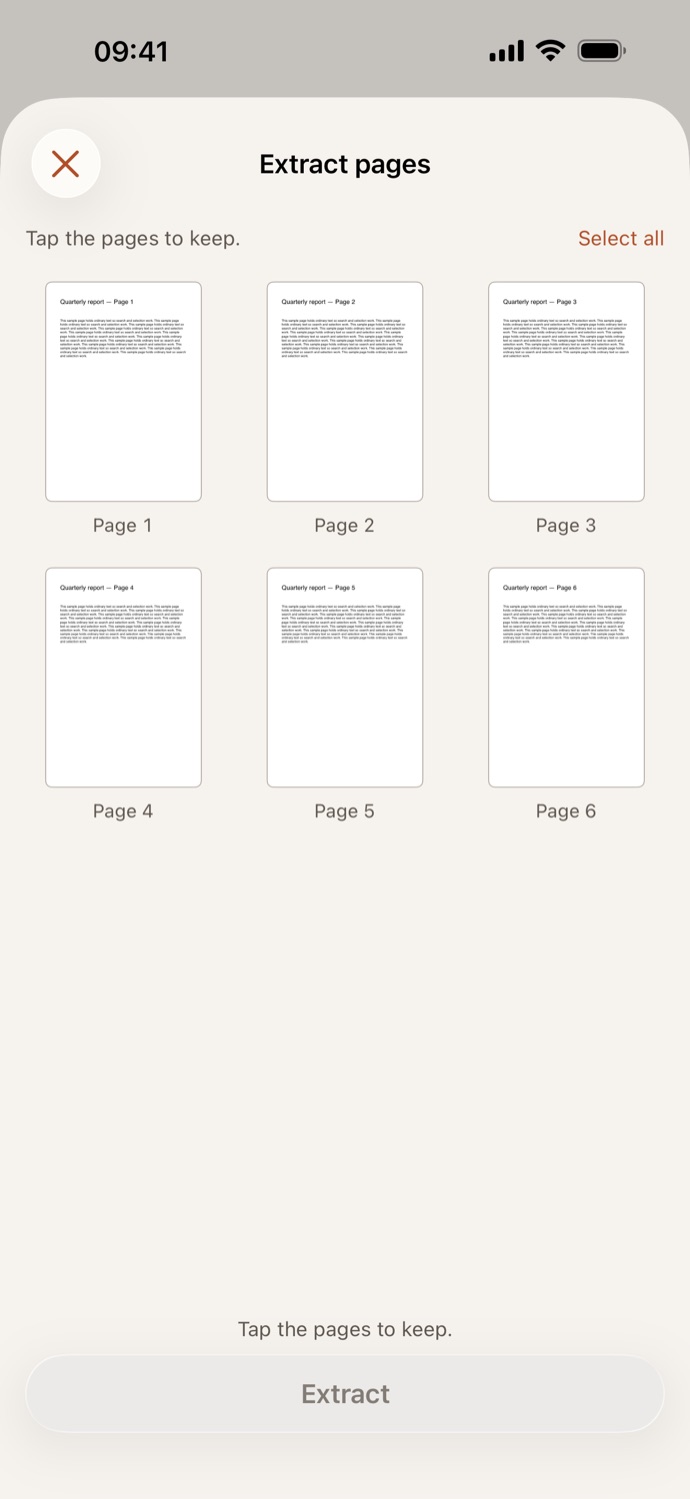
How to extract pages from a PDF.
Three steps, all on your device.
Pick your PDF
Open Extract pages and choose a file from Your files in CapsaPDF, or from the Files app.
Tap the pages to keep
Every page is shown as a thumbnail. Tap the ones you want, or Select all; CapsaPDF lists the pages you’re keeping.
Extract
Tap Extract. The new PDF is saved in Your files, ready to share, or to compress, make searchable or protect next.
Just the pages you need.
- The pages you tap, in their original order, in one new PDF. The original keeps every page.
- Send only the signed page of a contract, or the two pages of a statement someone asked for.
- Pages are copied as they are, not re-rendered, so text stays searchable and links still work.
- Go on from the result: compress it, add page numbers, or add a password before you send it.
Good to know
- Works with
- One PDF, from Your files or the Files app
- You get
- One new PDF with the pages you chose; your original stays as it was
- Works offline
- Yes: nothing is uploaded
Extracted on your device.
You extract pages to share less: one page of a contract, one month of a bank statement. Uploading the whole file to cut it down would defeat the point. CapsaPDF does it on your iPhone or iPad, with no account and no network features. Privacy Policy
Questions.
Is my PDF uploaded when I extract pages?
No. CapsaPDF extracts the pages on your iPhone or iPad and has no network features, so nothing is uploaded and it works offline.
Can I change the order of the extracted pages?
Extract pages keeps them in their original order. To reorder, rotate or delete pages, use Organize pages.
Do extracted pages keep their text?
Yes. The pages are copied without re-rendering them, so text and images stay as they were. Links and bookmarks to the pages you keep still work.
What’s the difference between Extract pages and Split PDF?
Extract pages makes one new PDF from the pages you tap. Split PDF makes several PDFs at once: by page ranges, every few pages, or one per page.
Can I extract pages from a password-protected PDF?
Yes, if you know the password: CapsaPDF asks for it before showing the pages. The new PDF keeps the same password and restrictions.
Is extracting pages free?
Yes. CapsaPDF is free, with every tool included, no ads and no purchases.