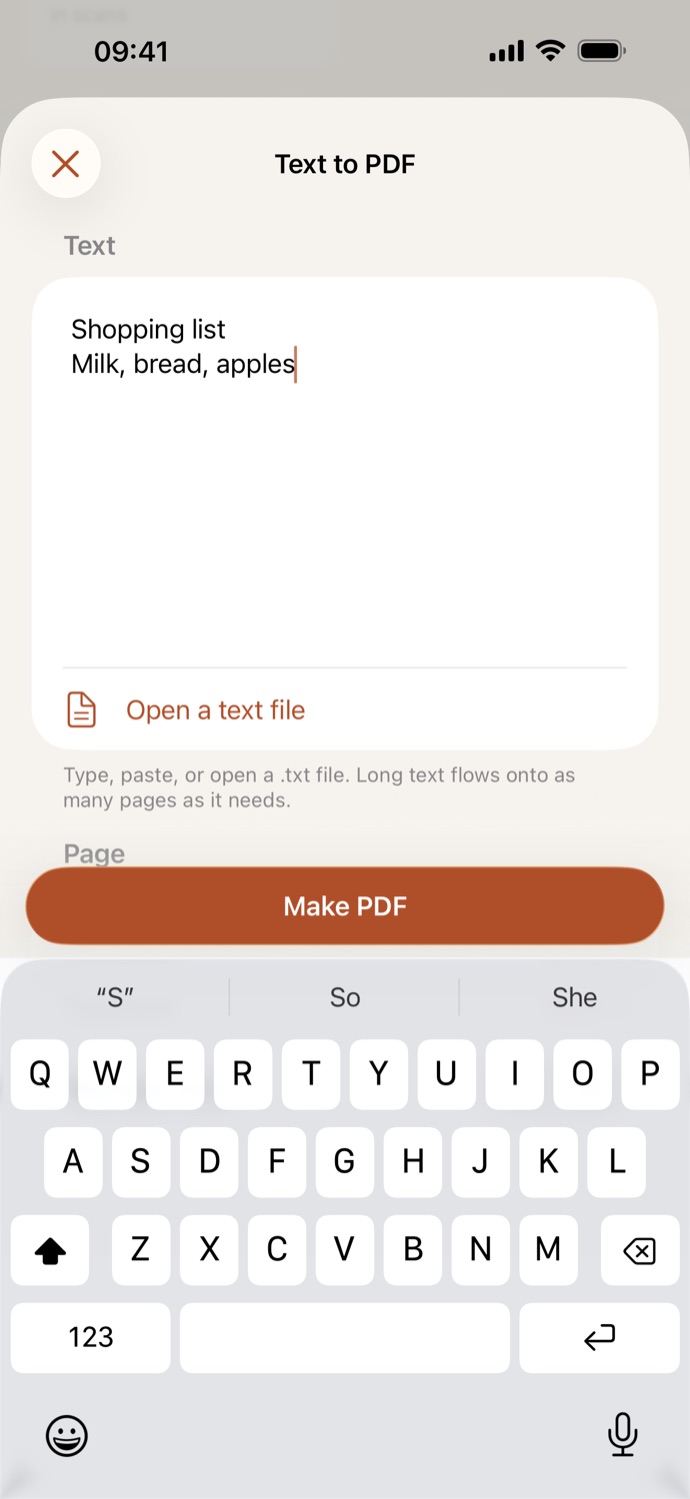
How to convert text to PDF.
Three steps, all on your device.
Add your text
Open Text to PDF and type or paste your text, or tap Open a text file to bring in a .txt file.
Set the page
Choose A4 or US Letter, a typeface, Serif, Sans serif or Monospaced, and a text size from 9 to 18 pt. It starts at A4, Serif, 12 pt.
Make the PDF
Tap Make PDF. Long text flows onto as many pages as it needs, and the PDF is saved in Your files, ready to number, watermark, sign or protect.
Plain text, set as a tidy PDF.
- Every page has a 2 cm margin on each side, and the text stays real text you can search and copy.
- Turn notes, a list, a letter or a log file into a PDF to send or print.
- Only plain text in UTF-8 opens. If a file can’t be read, CapsaPDF tells you, and you can paste the text instead.
- Go on from the result: add page numbers or a watermark, sign it, or add a password.
Good to know
- Works with
- Typed or pasted text, or a .txt file
- You get
- A PDF with real, searchable text, in Your files
- Works offline
- Yes: nothing is uploaded
Made on your device.
Notes and letters say more than most files: names, addresses, what you plan to say. CapsaPDF sets your text as a PDF on your iPhone or iPad, with no account and no network features, so your words never leave your hands. Privacy Policy
Questions.
Is my text uploaded?
No. CapsaPDF makes the PDF on your iPhone or iPad and has no network features, so nothing is uploaded and it works offline.
Can I open a text file?
Yes, a plain .txt file in UTF-8. For Word and RTF files, use Office to PDF instead.
Can people search and copy the text in the PDF?
Yes. The text stays real text, not a picture of it.
What happens to long text?
It flows onto as many pages as it needs, with a 2 cm margin around each page.
Is converting text to PDF free?
Yes. CapsaPDF is free, with every tool included, no ads and no purchases.