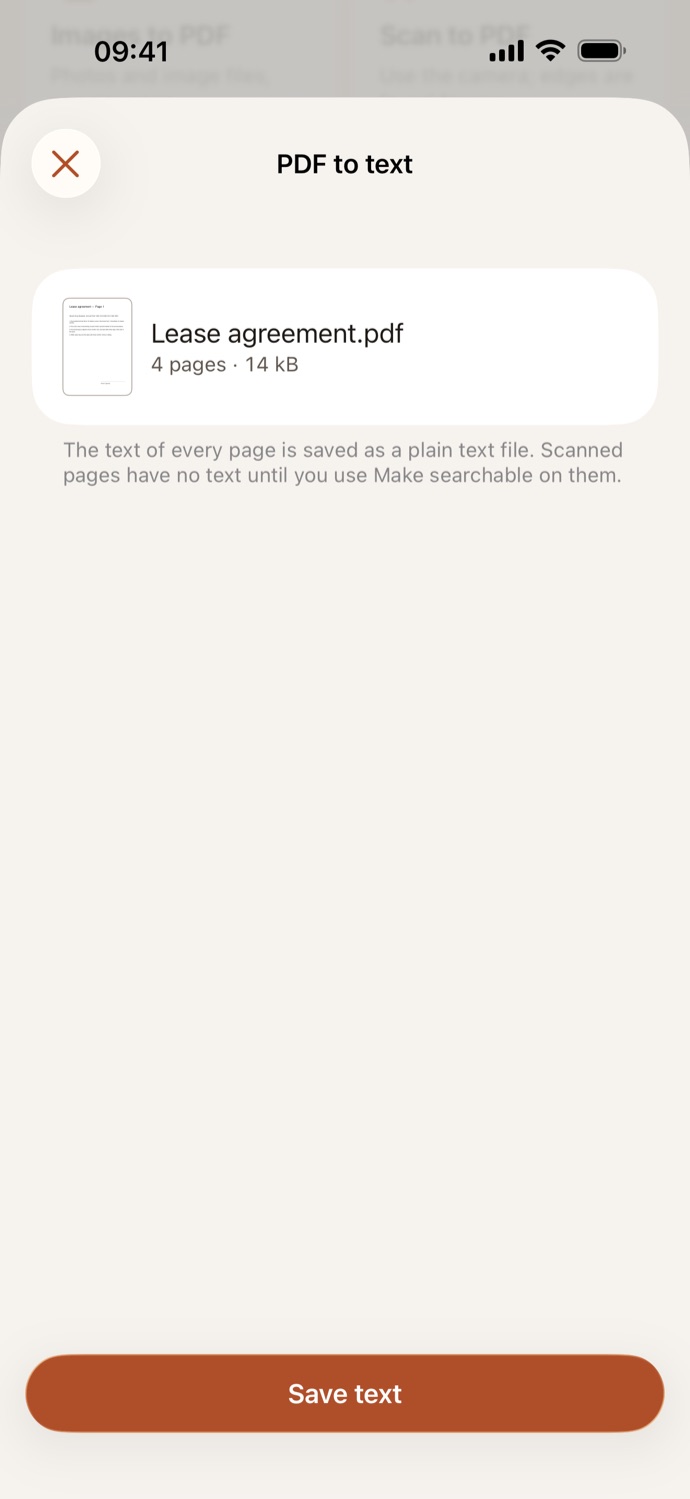
How to convert a PDF to text.
Three steps, all on your device.
Choose the PDF
Open PDF to text and pick a PDF from Your files in CapsaPDF, or from the Files app. Choose several to get a text file for each.
Check the file
CapsaPDF shows the PDF and its page count. There’s nothing to set: the text of every page is saved.
Save text
Tap Save text. CapsaPDF tells you if any pages had no text. Share the text file, or save it to Files from the share sheet.
The words, without the PDF.
- The text of every page, in page order with a blank line between pages, in a plain text file any app can open.
- Paste a contract’s wording into an email, quote a report, or edit a PDF’s text in a notes app.
- Scanned pages have no text until you use Make searchable on them; CapsaPDF tells you how many pages had none.
- In Shortcuts, the Get Text from PDF action hands the text to your automations.
Good to know
- Works with
- One or more PDFs, from Your files or the Files app
- You get
- A text file for each PDF; your PDF stays as it was
- Batches
- Several files at once, with one text file each
- Shortcuts
- A Get Text from PDF action, for automations
Converted on your device.
Online converters upload your PDF to read its text. CapsaPDF reads it on your iPhone or iPad, with no account and no network features, so the words in your contracts, statements and notes never leave your hands. Privacy Policy
Questions.
Is my PDF uploaded to get its text?
No. CapsaPDF reads the text on your iPhone or iPad and has no network features, so nothing is uploaded and it works offline.
Why is the text file empty?
The pages are probably scans: pictures of text, with no text in them. Use Make searchable on the PDF first, then PDF to text.
Is the formatting kept?
No. You get plain text: the words of each page, without fonts, pictures or layout.
Can I convert several PDFs to text at once?
Yes. Choose several PDFs and each gets its own text file.
Can I get the text of a password-protected PDF?
Yes, if you know the password: CapsaPDF asks for it first.
Is converting PDF to text free?
Yes. CapsaPDF is free, with every tool included, no ads and no purchases.