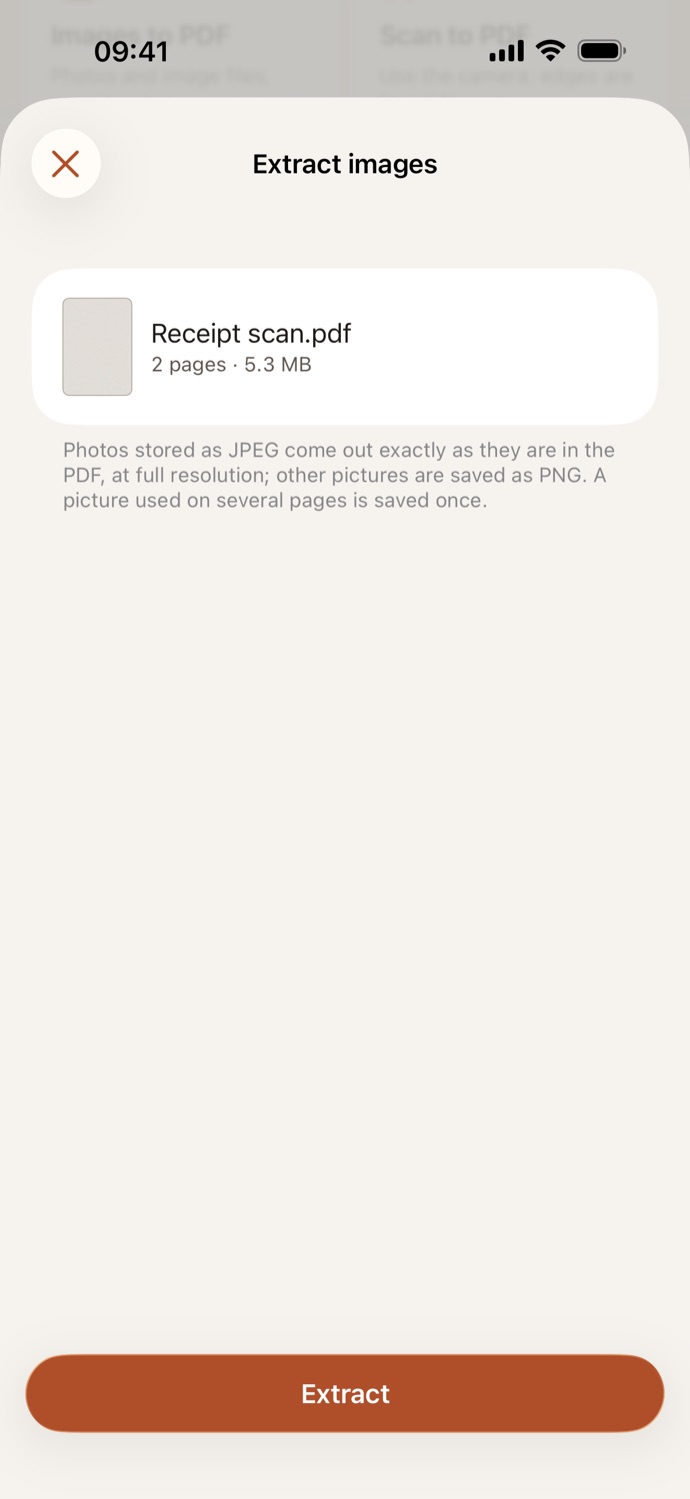
How to extract images from a PDF.
Three steps, all on your device.
Pick a PDF
Open Extract images and choose a PDF from Your files in CapsaPDF, or from the Files app.
Nothing to set
Photos stored as JPEG come out exactly as they are in the PDF, at full resolution. Other pictures are saved as PNG.
Extract
Tap Extract. The images are ready to share: send them on, or save them to Photos from the share sheet.
The pictures themselves, at full quality.
- JPEG photos are copied out as they are, with no re-encoding; other pictures are saved as PNG.
- Get the photos out of a report, a brochure or a scan, without taking screenshots of its pages.
- A picture used on several pages is saved once, and tiny icons and bullets are left out.
- No pictures in the PDF? CapsaPDF tells you, and PDF to images saves whole pages instead.
Good to know
- Works with
- One PDF, from Your files or the Files app
- You get
- JPG and PNG files, ready to share or save to Photos
- File names
- The PDF’s name, numbered: “Report 01.jpg”
- Works offline
- Yes: nothing is uploaded
Extracted on your device.
The pictures are often the most personal part of a PDF: photos of people, scanned IDs, signed pages. Online tools upload the whole file to get them out. CapsaPDF extracts them on your iPhone or iPad, with no account and no network features. Privacy Policy
Questions.
Are my PDFs uploaded when I extract images?
No. CapsaPDF extracts the images on your iPhone or iPad and has no network features, so nothing is uploaded and it works offline.
Do the extracted images lose quality?
No. Photos stored as JPEG come out exactly as they are in the PDF, at full resolution. Other pictures are saved as PNG, which keeps every pixel.
Why are some pictures missing?
Tiny icons and bullets are left out, and a picture used on several pages is saved once. Some pictures are stored in a way CapsaPDF can’t save yet, such as some CMYK, indexed-color and masked images, and a few are too large to save on the device. The result says how many, and PDF to images saves whole pages instead.
What’s the difference from PDF to images?
Extract images saves the pictures inside the PDF, as they were put in. PDF to images saves every whole page as a JPG or PNG, text and all.
Can I extract images from a password-protected PDF?
Yes, if you know the password: CapsaPDF asks for it first.
Is extracting images free?
Yes. CapsaPDF is free, with every tool included, no ads and no purchases.