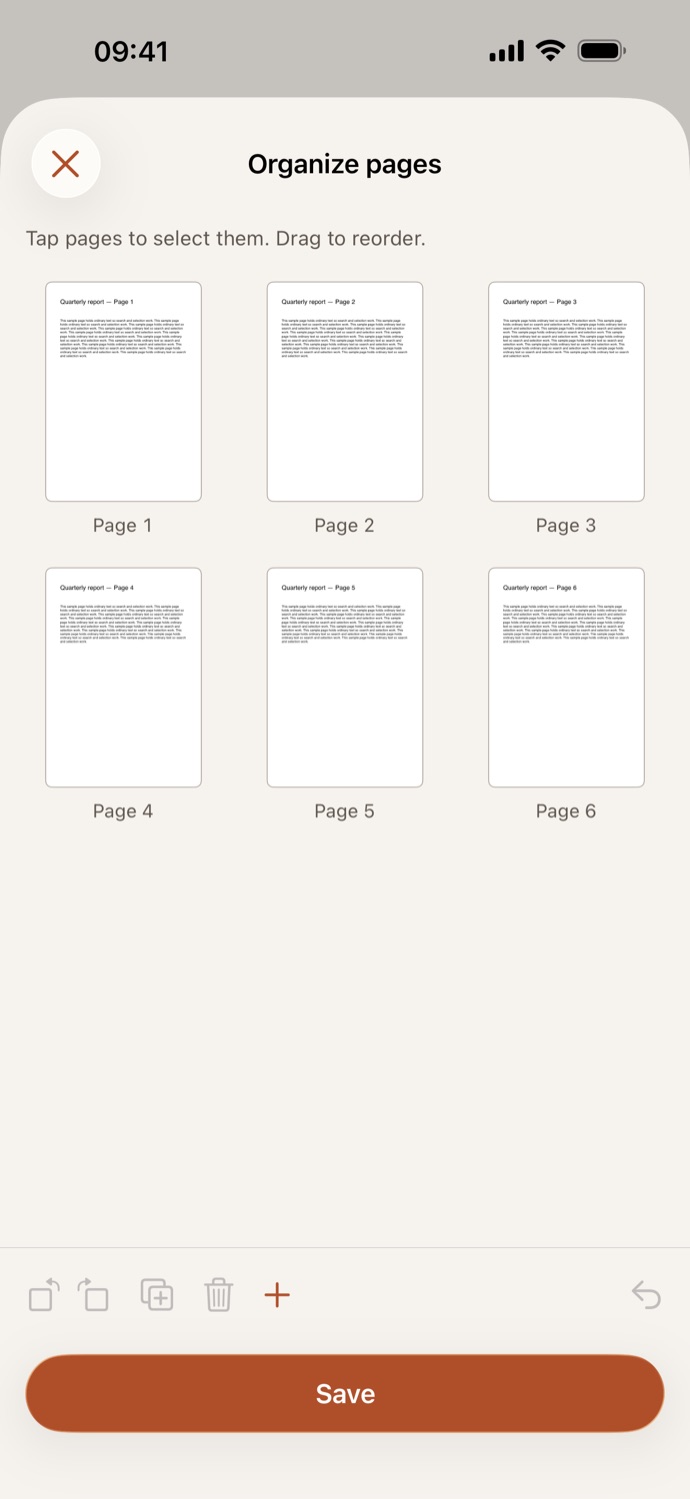
How to rearrange PDF pages.
Three steps, all on your device.
Pick your PDF
Open Organize pages and choose a file from Your files in CapsaPDF, or from the Files app.
Arrange the pages
Drag pages to reorder them. Tap pages to select them, then rotate, duplicate or remove them; Undo brings back a removal. Add a blank page, or pages from another PDF.
Save
Tap Save. The organized PDF goes to Your files, ready to share, or to compress, number or protect next.
Every page where you want it.
- Reorder, rotate left or right, duplicate and delete pages in one place, before anything is saved.
- Turn the sideways pages of a scan upright, drop the blank backs, or move an appendix where it belongs.
- Add pages from another PDF, from Your files or the Files app. If it has a password, remove it first with Remove password.
- Go on from the result: compress it, add page numbers, or make it searchable.
Good to know
- Works with
- One PDF, plus pages from others if you add them
- You get
- One new PDF, with your PDF’s password if it had one; your original stays as it was
- Blank pages
- A4 or Letter, the size used where you are
- Works offline
- Yes: nothing is uploaded
Organized on your device.
The PDFs people put in order are usually their own paperwork: scanned IDs, tax forms, signed agreements. CapsaPDF arranges them on your iPhone or iPad, with no account and no network features, so those pages never leave your hands. Privacy Policy
Questions.
Is my PDF uploaded when I rearrange its pages?
No. CapsaPDF rearranges the pages on your iPhone or iPad and has no network features, so nothing is uploaded and it works offline.
Can I delete pages from a PDF?
Yes. Select them and tap Remove. Until you save, Undo brings them back.
Can I rotate just one page?
Yes. Tap it to select it, then Rotate left or Rotate right; the other pages stay as they were.
Can I add pages from another PDF?
Yes. Add pages takes a blank page, pages from your files in CapsaPDF, or pages from the Files app. Pages from another PDF go at the end, ready to drag into place.
Does rearranging pages change the quality?
No. CapsaPDF copies the pages as they are, without re-rendering them, so text and images stay as they were. Links and bookmarks follow their pages.
Is organizing PDF pages free?
Yes. CapsaPDF is free, with every tool included, no ads and no purchases.