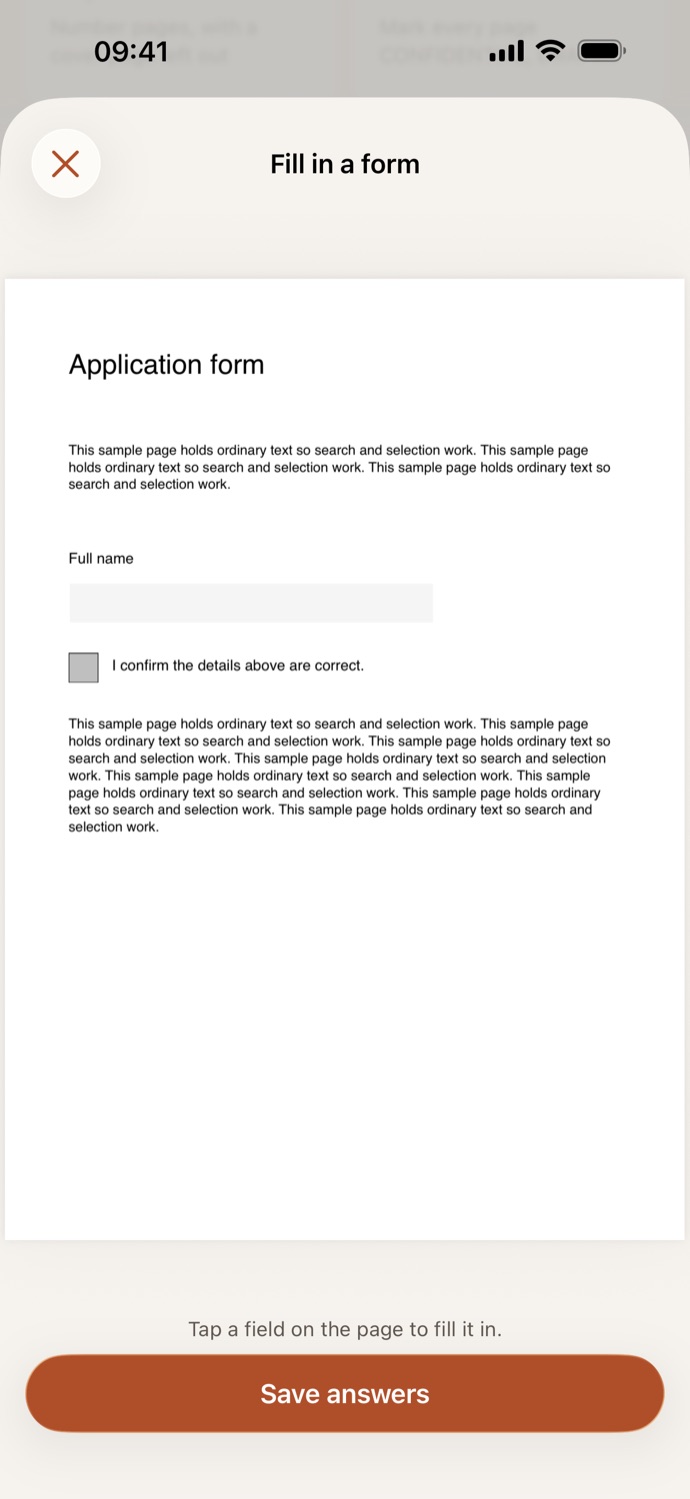
How to fill in a PDF form.
Three steps, all on your device.
Pick the form
Open Fill in a form and choose a PDF from Your files in CapsaPDF, or from the Files app.
Fill in the fields
Tap a field on the page to type in it, tap a checkbox or a radio button to choose it, and pick from a list where there is one. Fields the form locks stay as they are. Scroll down for the next pages.
Save answers
Tap Save answers. The filled copy is saved in Your files, ready to share, or to flatten, sign or protect next.
Your answers, in the form’s own fields.
- You fill in the PDF’s own fields, so the copy is still a form: the answers can be changed later, and your original stays as it was.
- Fill in an application, a registration form or a school permission slip, and send it back without printing it.
- A scanned form with no fields? CapsaPDF tells you, and you can add text boxes on the page with Annotate instead.
- Go on from the result: Flatten locks the answers in, Sign PDF adds your signature, Add password keeps it private.
Good to know
- Works with
- One PDF with form fields, from Your files or the Files app
- You get
- A filled copy that’s still a form; your original stays as it was
- Works offline
- Yes: nothing is uploaded
Filled in on your device.
Forms ask for what you’d least like to upload: your address, your ID and tax numbers, your bank details. CapsaPDF fills them in on your iPhone or iPad, with no account and no network features, so your answers stay with you. Privacy Policy
Questions.
Is my form uploaded when I fill it in?
No. CapsaPDF fills in the form on your iPhone or iPad and has no network features, so nothing is uploaded and it works offline.
Why does CapsaPDF say my PDF has no form fields?
The PDF has no fields to type into, which is common with scanned forms. Use Annotate to add text boxes where the answers go. If it says it’s an XFA form, that’s a kind CapsaPDF can’t fill in: ask the sender for a standard PDF form.
Can the answers be changed after saving?
Yes. The filled PDF is still a form, so you or the person you send it to can change the fields. To lock the answers in, use Flatten on the filled copy.
Can I sign the form?
Signature fields aren’t filled in here. Save your answers, then use Sign PDF to draw or type your signature, or use a photo of it, and place it on the page.
Is filling in PDF forms free?
Yes. CapsaPDF is free, with every tool included, no ads and no purchases.