How to crop a PDF.
Three steps, all on your device.
Pick your PDF
Open Crop pages and choose a PDF from Your files in CapsaPDF, or from the Files app. Choose several to crop them all the same way.
Choose how to crop
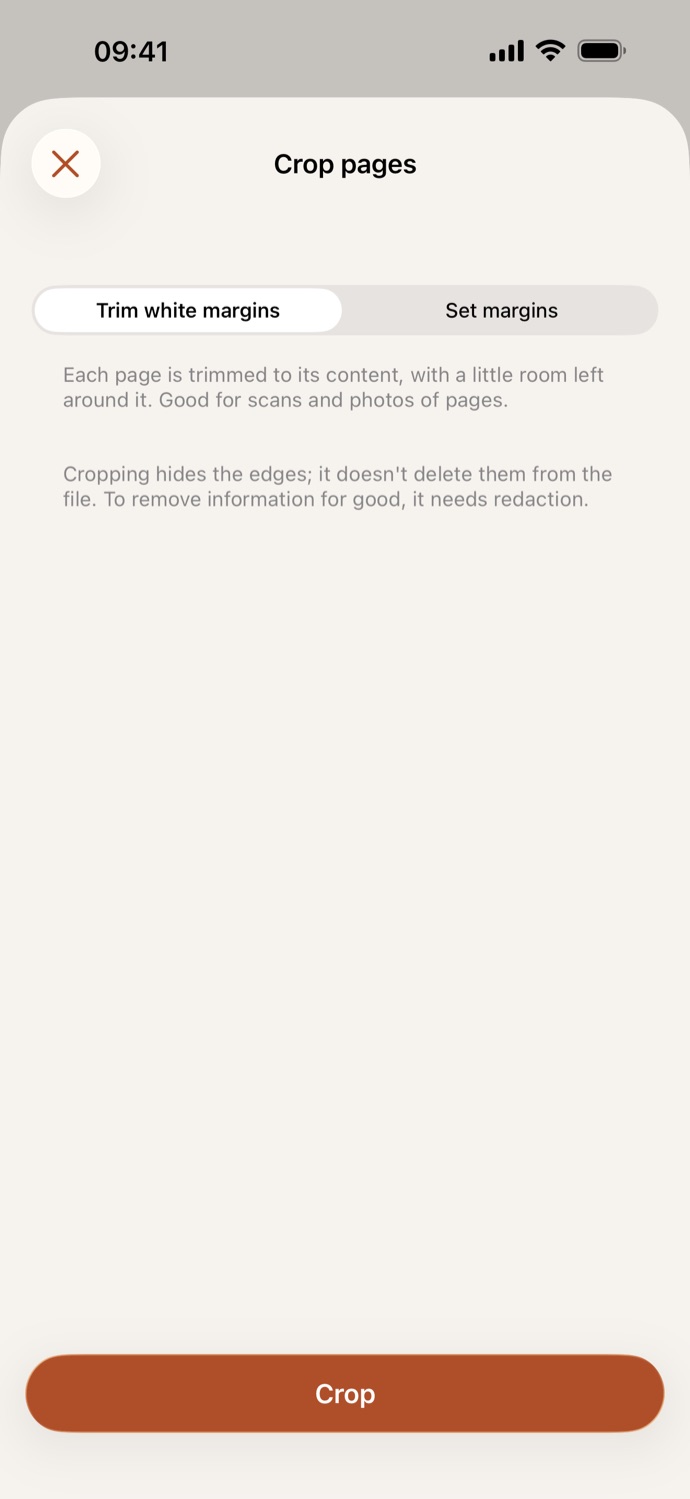
Trim white margins cuts each page down to its content. Set margins lets you cut from the top, bottom, left and right with sliders, with a preview of the first page.
Crop
Tap Crop. The cropped PDF is saved in Your files, ready to share, or to compress, make searchable or protect next.
Pages cut to what matters.
- Trim white margins finds the content on each page and leaves a little room around it. Set margins cuts the same edges from every page.
- Tidy up a scan or a photo of a page, so the text fills the screen when you read it on a phone.
- Light gray counts as paper, so a scan’s background doesn’t stop the trim. Blank pages are left as they are, and a rotated page is cropped on the side you see.
- Cropping hides the edges; it doesn’t delete them from the file. To remove information for good, use Redact.
Good to know
- Works with
- One PDF, or several with the same settings
- You get
- A new, cropped PDF; your original stays as it was
- Batches
- Several files at once
- Works offline
- Yes: nothing is uploaded
Cropped on your device.
What you crop away is still in the file, and an online cropper gets the whole thing. The scans people crop are often receipts, IDs and letters. CapsaPDF crops them on your iPhone or iPad, with no account and no network features. Privacy Policy
Questions.
Are my PDFs uploaded when I crop them?
No. CapsaPDF crops the pages on your iPhone or iPad and has no network features, so nothing is uploaded and it works offline.
Can I remove white margins automatically?
Yes. Trim white margins cuts each page down to its content, with a little room left around it. It’s made for scans and photos of pages.
Can I cut the same edges from every page?
Yes. Choose Set margins and move the Top, Bottom, Left and Right sliders. A preview of the first page shows what will be cut.
Does cropping delete what’s cut off?
No. Cropping hides the edges, but they stay in the file. To remove a name or a number for good, use Redact instead.
Can I crop several PDFs at once?
Yes. Choose several PDFs and they’re all cropped with the same settings, one new PDF each.
Is cropping PDFs free?
Yes. CapsaPDF is free, with every tool included, no ads and no purchases.